A good hidden camera costs between $30 and $200 for the vast majority of home situations — caregiving monitoring, front-door coverage, or keeping an eye on a room in your absence. What you pay for at each level is resolution, battery life, motion detection reliability, and how well the camera blends into its surroundings. Most people find what they genuinely need in the $50 to $150 range.
That answer is honest, and I want to be straight with you about it. Because there is a lot of noise in this space — websites that push you toward the most expensive option, and others that talk you into something cheap that fails the one time it matters. I have been helping people in my community find the right tools for a long time, and the question of price almost always comes down to the same thing: what are you actually trying to protect, and what do you need to see? Let me walk you through what I know.
What do you actually get when you spend more on a hidden camera?
The honest answer is: mostly resolution and reliability. A camera in the $30–$50 range will record. It will capture motion. But the image quality at that price is often good enough to see that something happened — not always good enough to see clearly who was responsible. The face might be blurry. The timestamp might lag. The motion trigger might miss the first few seconds of an event.
When you move into the $75–$150 range, you start getting 1080p resolution as a standard, better low-light performance, and more stable motion detection. These are not luxury features. If you are monitoring a caregiver in your parent’s home — which is one of the most serious reasons people come to me — you need to be able to identify a face. Blurry footage does not protect anyone. I wrote more about that specific situation in my post on what hidden camera has the best video quality for identifying a caregiver’s face, and I’d encourage you to read it if that’s your situation.
Above $150, you are generally paying for Wi-Fi connectivity, cloud storage, longer battery life, or a more sophisticated disguise. Those features matter for some people. They do not matter for everyone. A camera that records to a local SD card and captures 1080p footage is often all a household needs — and it is simpler to use, too.
What price range is right for home monitoring?
For most home situations — checking on a room while you are at work, monitoring a front entrance, keeping watch over a common area — a camera in the $50 to $100 range is the right starting point. You want 1080p resolution, wide-angle coverage, and reliable motion detection. Those three things are available without spending a fortune.
If your primary concern is the front of your home, a hidden camera for your front door is worth looking at specifically. Front-door cameras have different needs — weatherproofing, wider field of view, and often better night-vision — than indoor cameras, and the right product for that spot is not necessarily the cheapest one on the shelf.
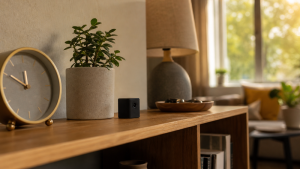
For indoor rooms, a camera disguised as a common household object — a clock, a smoke detector, a power adapter — is often all you need. These blend in naturally, which means you are not drawing attention to the fact that you are recording. That matters when the goal is honest observation. A camera somebody can spot and avoid defeats its own purpose.
Is it worth paying for a Wi-Fi connected hidden camera?
Sometimes. Not always. Here is the honest trade-off: a Wi-Fi camera lets you check the live feed from your phone, get motion alerts in real time, and sometimes store footage in the cloud so you do not have to retrieve an SD card. Those are real conveniences — especially if you are monitoring an elderly parent from across town, or if you travel for work and want to check in on your home.
The drawback is that Wi-Fi cameras depend on your home network. If the router goes down, the camera goes offline. They also tend to be easier to detect, because the Wi-Fi signal can be picked up by someone who knows to look for it. For most everyday home monitoring, a local-recording camera with a good SD card is more dependable and harder to compromise.
My advice: if real-time alerts and remote viewing are genuinely important to your situation, pay for a Wi-Fi camera and budget $100–$150 for one that does it well. If you just need reliable footage you can retrieve when you need it, a non-connected camera at a lower price point will serve you just fine — and it will never go dark because the internet hiccupped.
What if I just need something to deter people — do I need a real camera?
Not always. This is something I think people overlook. A visible camera — even one that does not record — can change behavior. Most opportunistic theft and most harassment happens when people believe they are not being watched. Remove that belief, and many problems never start.
A fake hidden camera deterrent or a dummy camera for deterrence can cost under $20 and do real work in low-risk environments — a storage shed, a parking spot, a shared hallway. I want to be honest with you about the limits: these do not record, they do not capture evidence, and a determined person who gets close enough will eventually figure it out. But for casual deterrence, they are worth knowing about. Some people pair them with real cameras — a dummy in one visible spot, a working camera capturing actual footage from somewhere less obvious. That combination gives you both deterrence and documentation.
If you want to go a step further with visible deterrence, a fake PTZ camera — the kind that looks like it rotates and tracks — adds another layer of realism for very little money.
Does camera quality matter more or less depending on where I put it?
It matters more than most people expect, and the answer changes by location. Here is how I think about it:
High-stakes indoor rooms — a caregiver’s workspace, a child’s room, a home office — deserve your best camera. This is where you are most likely to need footage as actual evidence. Spend what you need to get clear, reliable 1080p or better, with dependable motion detection and enough storage to capture extended events.
Entry points and hallways need wide-angle coverage and good low-light performance. A lot of home cameras have adequate daytime quality but fall apart after dark. If your front entrance, back door, or stairwell is in a dimly lit area, check the night-vision specs before you buy. Infrared night vision — the kind that does not require a visible light source — is what you want.
Low-stakes or secondary locations — a garage, a detached storage space, a vacation home you check in on occasionally — are where a more basic, lower-cost camera makes sense. The footage does not need to be courtroom-quality. It just needs to tell you whether something happened and when.
How does the cost of a hidden camera compare to other home safety tools?
A good hidden camera sits in the middle of the home safety budget — more than a personal alarm or a hidden compartment safe for storing valuables, but less than a full monitored security system. When I think about what offers genuine protection per dollar spent, cameras are near the top of the list — because they create accountability, and accountability changes how people behave.
If you want a sense of how hidden camera costs compare to the broader world of safety products, my post on how much non-lethal self-defense products typically cost gives you a full picture. Protection does not have to be expensive. But it does have to be real.
Frequently Asked Questions About Hidden Camera Costs
What is the minimum I should spend to get a reliable hidden camera?
For a genuinely reliable hidden camera — one that captures clear footage and triggers dependably on motion — budget at least $40 to $50. Cameras below that threshold often have resolution or detection issues that show up exactly when you need them most. Spending a little more upfront is almost always worth it compared to discovering your $20 camera missed the one event you needed to catch.
Does a more expensive hidden camera always mean better quality?
Not automatically. Price reflects resolution, build quality, battery life, connectivity, and the sophistication of the disguise — but those features do not all matter equally for every situation. A $150 Wi-Fi camera is not better than a $75 local-recording camera if you do not need remote access. Match the features to your actual needs rather than assuming higher cost equals better protection.
Are hidden cameras that record to an SD card better than cloud cameras?
They are more reliable in terms of uptime, because they do not depend on a Wi-Fi connection. SD card cameras keep recording even if your internet goes down, and the footage stays private on your device rather than stored on a third-party server. Cloud cameras offer the convenience of remote access and alerts. Both work — the right choice depends on whether real-time monitoring matters to your situation.
How much storage do I need in a hidden camera?
For most home use, a 32GB SD card handles several days of motion-triggered footage before it loops and records over itself. If you need longer retention — for a situation where you might not check the camera for a week or more — a 64GB or 128GB card gives you more runway. Check your camera’s maximum supported card size before you buy a larger one; not all cameras support cards above 32GB.
Can I use a dummy camera instead of a real one to save money?
A dummy or fake camera can deter casual opportunists for very little money, and in low-stakes areas that is often enough. But it will not capture evidence if something does happen, and a determined person may eventually recognize it as fake. For situations where you genuinely need documentation — caregiver monitoring, evidence of repeated trespassing, or any high-stakes area — a real, recording camera is necessary. Use dummy cameras to supplement real ones, not replace them.
What features should I prioritize when buying a hidden camera on a budget?
In order: resolution first (1080p minimum), then motion detection reliability, then low-light or night-vision performance, then battery life or power source. Connectivity and cloud storage are nice to have but should not come at the expense of image quality. A camera that captures clear footage locally is more useful than a blurry one with a good app.
Is it legal to use a hidden camera in my home?
Generally, recording in spaces you own — your home, your property — is legal in most U.S. states, as long as you are not recording in areas where people have a reasonable expectation of privacy, such as bathrooms or bedrooms without consent. Laws vary by state, and some states have specific rules about audio recording. This is not legal advice — check the laws in your state before you set up a camera, especially if others live in or regularly use the space.
What is the best way to hide a camera without it being obvious?
The most effective disguises are everyday objects that make sense in the room — a clock on a mantel, a smoke detector on the ceiling, a USB charger plugged into an outlet. The key is placement that looks natural: a camera disguised as a clock on an otherwise bare wall still draws attention. Put it where that object would reasonably sit, with the lens aimed at what you need to see, and most people will never look twice.
Here is what I want to leave you with. Price is a real consideration, and I am never going to tell you to spend more than you need to. But cheap footage that cannot identify a face, or a camera that stops recording when the Wi-Fi drops, is not actually protecting anyone. Know what you need. Spend to meet that need. And give yourself the peace of mind that comes from knowing the camera you bought will actually do its job.
Browse the hidden camera options at Tracey’s Safety and see what fits your situation. If you are not sure where to start, the product descriptions will tell you what each camera does best — and I have tried to make sure you have enough information to choose without guessing.